 Now that Archos put Android on one of their touchscreen monsters I thought it was worth a look. The Archos 5 Internet Tablet (with Android) comes in 8gb (Radio Shack), 16gb and 32gb flash memory models, as well as 160gb and 500gb hard drive based models. The 500gb model is roughly $500 and a great deal per gigabyte. I don't have any need for that much space so I picked up the 32gb version. The flash memory models are thinner and have a microSD slot for add-on storage.
Dimensions: 143.2 x 78.8 x 10.4mm. Mine weighs 182 grams (6.4 ounces). The Screen is 800 x 480 pixels, 4.8" TFT LCD, 16 million colors. There is a nice little fold-out stand which holds the 5 up at a great viewing angle.
 Source: BHPhotoVideo.com. Amazon.com and Newegg.com have them as well. Typically $380 for the 32gb model.
Media play includes:
- Music: MP3, WMA, WAV, AAC, OGG, FLAC. Up to 22 hours. Gapless play seems to be there, at least with the MP3 files I've tested.
 - Video: MPEG-4 HD (up to 720p), MPEG-48 (ASP@L5 AVI, up to DVD resolution), H.264 HD (up to 720p), WMV (MP@ML, up to DVD resolution) including WMV protected files, MKV (up to 720p, 2500kbs, 23fps), M-JPEG (Motion JPEG Video) in QVGA resolution. Up to 7 hours.
  - Photos: JPEG, BMP, PNG, GIF
 - Flash Games
- FM Radio (with RDS). You can find it after tapping on Music. I'd love to have a dedicated icon for it but haven't figured that out yet.
Media Input includes:
- Voice Recording with the built-in microphone.
- Stereo Line-In recording with the optional DVR Station or DVR Snap-on.
- FM radio recording.
- Video Recording with the optional DVR Station or DVR Snap-on.
·
Radios:
- Wifi including 802.11b, g, and n.
- Bluetooth for wireless headphones and more. Bluetooth keyboard and mice work too.
- GPS for Navigation and location sensing (Google Maps).
- FM Transmitter.
·
·
Other:
- G-Sensor
·
Apps: I'm not going to list or review them here, but you can find a list at Archos.com. Many rely on you subscribing to their associated web sites. Email and contacts are there thankfully. You can also find many more apps and download them directly to the 5 using the AppLib application on the 5.  The User Interface: Sensitive and reliable. Some actions take awhile to process and that can make you think the UI is sluggish, but once you are at the Home Menu or within the photo app you'll see there is plenty of horse power for smooth graphics and quick response when it is most important. The body has only three external buttons. Thankfully they included VOLume Up and VOLume Down along with the Power button.
 Quality: As a media player this Archos has what it takes. Music, Video, and photos all take advantage of the hardware, sounding and looking great. Using Wifi you can also access shared folders on your home network to find far more than you might have stored locally on the 5. As a pocket computer the 5 is not completely there, but it's got the tools to improve with firmware updates. Support for a bluetooth keyboard and network printer would be all that's needed to eliminate one's need for a notebook PC. The 5 tends to attract fingerprints front and back, but so do most touchscreen devices I've tried. Seams between body halves are a little sharp. The built-in stand is a nice touch and is mounted stiffly enough to be adjusted to variable viewing angles. It will also prop the 5 up on it's right end but the 5's rounded end makes for a teetery perch.
·
Conclusion? My Archos 5 is growing on me every day. So far the software has updated itself twice. It now runs on Android 1.5, and version 1.4.25 of the Archos firmware. While pricey, you are getting the largest screen that will still fit into a shirt pocket. There doesn't look to be too much the Archos 5 won't run eventually. It might be an amazing value in a year. At the moment though it is incredible but pricey.
·
4D
The User Interface: Sensitive and reliable. Some actions take awhile to process and that can make you think the UI is sluggish, but once you are at the Home Menu or within the photo app you'll see there is plenty of horse power for smooth graphics and quick response when it is most important. The body has only three external buttons. Thankfully they included VOLume Up and VOLume Down along with the Power button.Quality: As a media player this Archos has what it takes. Music, Video, and photos all take advantage of the hardware, sounding and looking great. Using Wifi you can also access shared folders on your home network to find far more than you might have stored locally on the 5. As a pocket computer the 5 is not completely there, but it's got the tools to improve with firmware updates. Support for a bluetooth keyboard and network printer would be all that's needed to eliminate one's need for a notebook PC. The 5 tends to attract fingerprints front and back, but so do most touchscreen devices I've tried. Seams between body halves are a little sharp. The built-in stand is a nice touch and is mounted stiffly enough to be adjusted to variable viewing angles. It will also prop the 5 up on it's right end but the 5's rounded end makes for a teetery perch.·
Conclusion? My Archos 5 is growing on me every day. So far the software has updated itself twice. It now runs on Android 1.5, and version 1.4.25 of the Archos firmware. While pricey, you are getting the largest screen that will still fit into a shirt pocket. There doesn't look to be too much the Archos 5 won't run eventually. It might be an amazing value in a year. At the moment though it is incredible but pricey.
·
4D


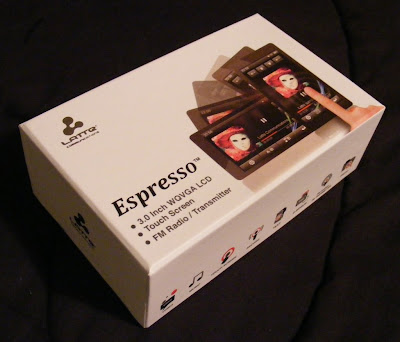 Latte looks like they want to move up the ladder in the touchscreen player market.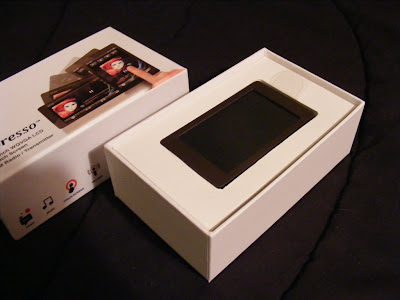
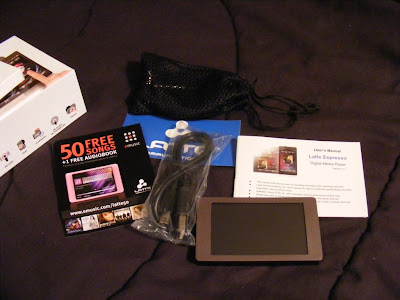 The earbuds appear to be well made and designed to compliment the Espresso's style. They come with uneven length cables to the buds which makes them easy to wrap behind your head. They also came with a nice net bag and spare set of tips. As a bonus they also sound Great. Good bass, plenty loud, external sound isolating, no audible noise, and expressive across the audio spectrum. They are on sale for $5.99 at
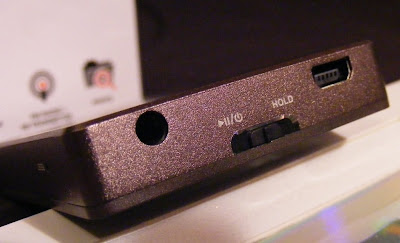
 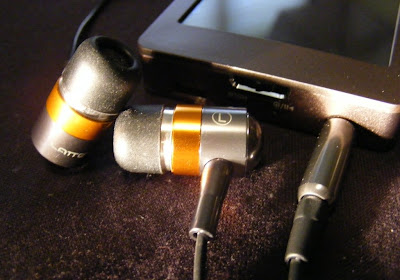 The only external control is the Power/Play/Pause/Hold slider. On the same end you'll find the USB and headphone jack. There is a small reset hole just around the corner. I love the way the Espresso looks, with a clean simple bronze body evenly framing the 3" touchscreen. The back and sides appear to be aluminum with a fine bevel between them . The front screen surround is plastic. The back is brushed, and the overall finish does a good job at not showing fingerprints.
  If you care about where your headphone jack is, then the Espresso has the perfect solution. The internal G-sensor knows where down is, and no matter how your rotate it the icons and apps all rotate to stay upright. The main menu is a simple array of icons. A tap takes you to either the files list for the app or right into the (radio) player. There is a nice haptic vibration to confirm your selection.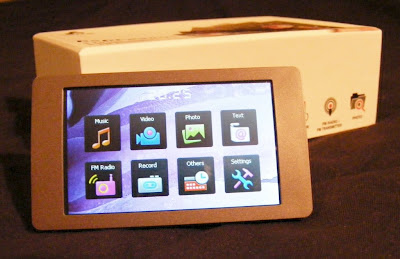
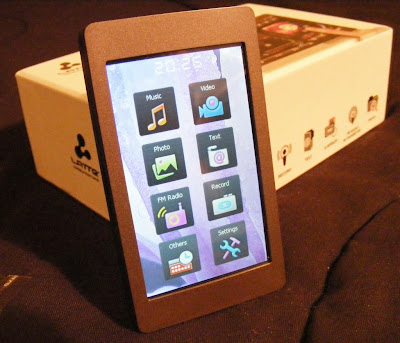 Music. This Latte will play back MP3, WMA, FLAC, APE, and AAC (no DRM) files. I've tried MP3, WAV, WMA, and FLAC with success, although it wouldn't play lossless WMA files. The music app is nearly complete. Missing is the ability to advance to any part of a song. There doesn't appear to be gapless playback. I couldn't find any playlist support in the manual or on the device, but there is an option to add songs to a single favorites list. The now-playing screen lets you tap between album art, a graphic equalizer, EQ/bitrate/repeat/shuffle info, or the ID3 info including title, album, and artist. There is a large PLAY/PAUSE button, with track and volume buttons smaller and along the right side (or top in portrait view). You also get an A-B button, lyrics toggle, settings icon, and BACK (previous screen) icon. Finding a single song in a long list is a tedious process. There is no reliable way to jump to a relative position in a list, and with no swipe or fast scroll of the list the touchscreen capabilities are underutilized. Yet this music app is better than most I've seen on budget Chinese media players. I've been enjoying a shuffle though my music collection as I write this. Music gets a B+.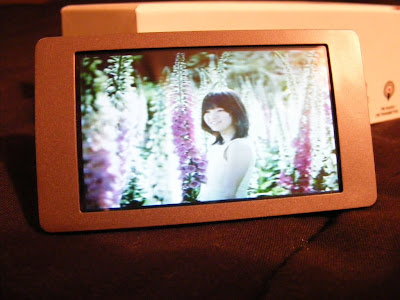
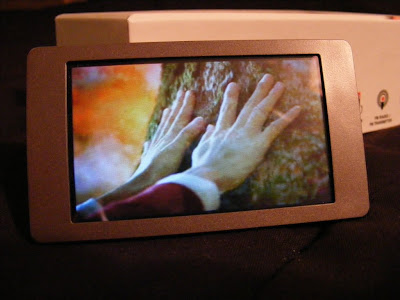 Photos. You can view JPEG, BMP, and GIF images. You can rotate the screen, but images don't auto-rotate to fit the screen, nor will they reliably rotate as the screen rotates. There is a one-step zoom option. You can pan around a zoomed image, but screen response is slow and a bit unpredictable. Images looks fine on the screen though, when you can avoid glare. This app is immature, and my experience suggests it won't be updated. Photo display gets a C+.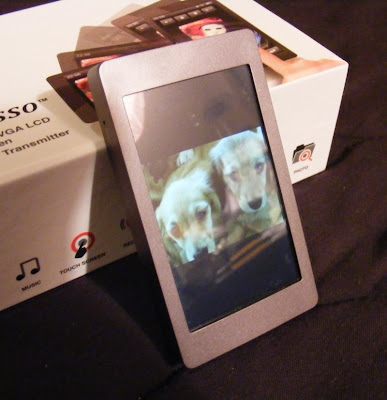
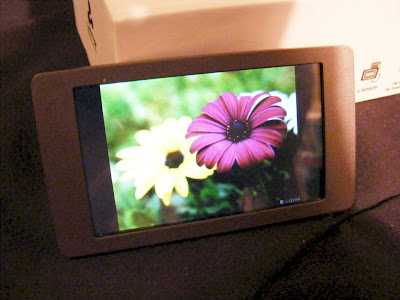 Text. TXT files can be read. You get three font sizes, as three font colors to choose from. The text will rotate as you turn the player for landscape or horizontal views. Legibility depends on the background and font color you choose, but text is crisp on the 420 x 240 screen. Moving through a large text file isn't as easy as it could be. It should be easy enough to throw a grocery list on the player, though you can't create one on the player itself. Text gets a C+.
 As you can see, what it promises to do is pretty amazing for such an inexpensive player. You may notice the 960 x 240 screen specification. Turns out that's a little creative marketing by the Chinese manufacturer. The 4:3 ratio screen is indeed 240 pixels high, but they counted each red, green, and blue pixel component horizontally to come up with 960. The net effect is a 320 (960/3) x 240 screen. It IS a very sharp and detailed image produced though, easily sharp enough for reading ebooks. The other high points include the microphone, camera, built-in speaker, and microSD slot.
 The player is suprisingly small. At 3.2" x 2" and .5" thick, the StyleX fits easily in a shirt pocket. The case seems to be chrome plated plastic, and the whole thing is very lightweight. Less than the weight of a deck of cards. There is a generally cheap feel to it, consistant with it's price.
 The bottom edge reveals the microSD slot, a Volume button, and the microphone hole.

 Audio output is strong, no doubt to compensate for the cheap earbuds it comes with. I have to keep it on the lowest possible setting or it overwhelms my good headphones. Audio quality is very good, with strong bass, and fairly even levels across the audible frequency range.
  The camera has a pinhole lens, and doesn't let in much light. 1.3 megapixels (up to 1600x1200), with 4x digital zoom capability. No flash, so to take a good photo you'll need a bright setting, preferably out in the sunlight. The camera can take photos or video. There is also a multi-shot photo mode. The camera can also serve as a USB PC camera. This is a shot taken from the camera:


 Posts
Posts

