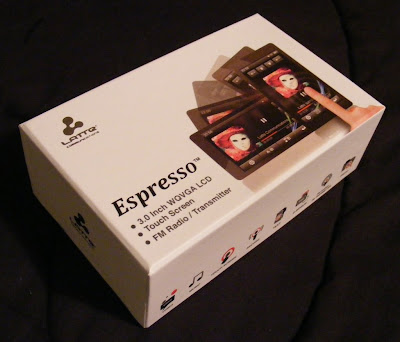
 Latte looks like they want to move up the ladder in the touchscreen player market. Target.com sells this beautiful 3" touchscreen Espresso model in 8gb and 16gb versions for $120 and $150 respectively. No cutting costs on hardware features, as this player features a G-sensor, Haptic Feedback, Voice and FM Recording, and FM broadcast to any nearby FM radio. Target listed a microSD card slot, but my Espresso DID NOT have one. Target also lists a calendar app which doesn't exist on the Espresso.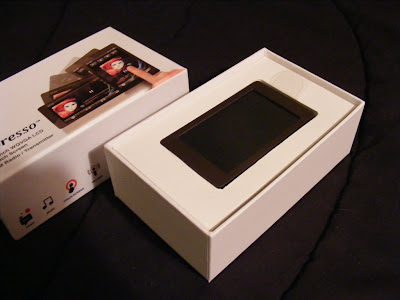
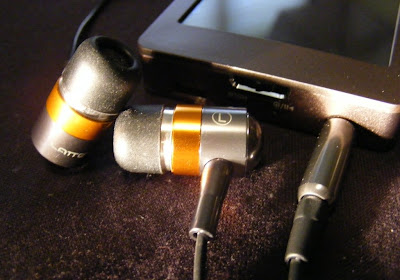
The packaging is a nice change from plastic blister packs. Slide the top off to find the player. Lift out the player to find the normal contents beneath. You'll find a standard USB to mini-USB cable, some nice sounding in-canal earbuds, a user manual, warranty card, and coupon for 50 free songs. 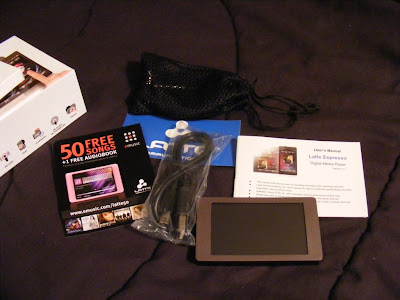 The earbuds appear to be well made and designed to compliment the Espresso's style. They come with uneven length cables to the buds which makes them easy to wrap behind your head. They also came with a nice net bag and spare set of tips. As a bonus they also sound Great. Good bass, plenty loud, external sound isolating, no audible noise, and expressive across the audio spectrum. They are on sale for $5.99 at Lattezone.com (regular $14.99) though, so don't be upset if they sound or look cheap to you.
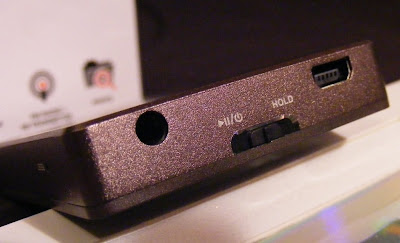
  The only external control is the Power/Play/Pause/Hold slider. On the same end you'll find the USB and headphone jack. There is a small reset hole just around the corner. I love the way the Espresso looks, with a clean simple bronze body evenly framing the 3" touchscreen. The back and sides appear to be aluminum with a fine bevel between them . The front screen surround is plastic. The back is brushed, and the overall finish does a good job at not showing fingerprints.
  If you care about where your headphone jack is, then the Espresso has the perfect solution. The internal G-sensor knows where down is, and no matter how your rotate it the icons and apps all rotate to stay upright. The main menu is a simple array of icons. A tap takes you to either the files list for the app or right into the (radio) player. There is a nice haptic vibration to confirm your selection.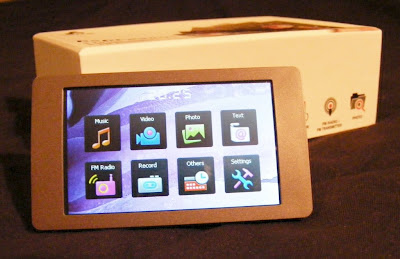
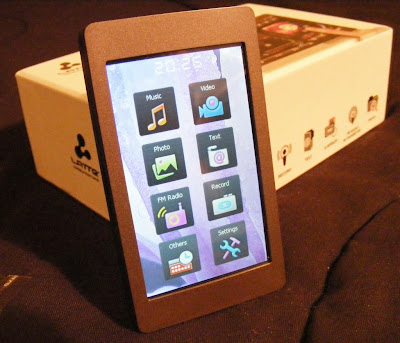 Music. This Latte will play back MP3, WMA, FLAC, APE, and AAC (no DRM) files. I've tried MP3, WAV, WMA, and FLAC with success, although it wouldn't play lossless WMA files. The music app is nearly complete. Missing is the ability to advance to any part of a song. There doesn't appear to be gapless playback. I couldn't find any playlist support in the manual or on the device, but there is an option to add songs to a single favorites list. The now-playing screen lets you tap between album art, a graphic equalizer, EQ/bitrate/repeat/shuffle info, or the ID3 info including title, album, and artist. There is a large PLAY/PAUSE button, with track and volume buttons smaller and along the right side (or top in portrait view). You also get an A-B button, lyrics toggle, settings icon, and BACK (previous screen) icon. Finding a single song in a long list is a tedious process. There is no reliable way to jump to a relative position in a list, and with no swipe or fast scroll of the list the touchscreen capabilities are underutilized. Yet this music app is better than most I've seen on budget Chinese media players. I've been enjoying a shuffle though my music collection as I write this. Music gets a B+.
The earbuds appear to be well made and designed to compliment the Espresso's style. They come with uneven length cables to the buds which makes them easy to wrap behind your head. They also came with a nice net bag and spare set of tips. As a bonus they also sound Great. Good bass, plenty loud, external sound isolating, no audible noise, and expressive across the audio spectrum. They are on sale for $5.99 at Lattezone.com (regular $14.99) though, so don't be upset if they sound or look cheap to you. The only external control is the Power/Play/Pause/Hold slider. On the same end you'll find the USB and headphone jack. There is a small reset hole just around the corner. I love the way the Espresso looks, with a clean simple bronze body evenly framing the 3" touchscreen. The back and sides appear to be aluminum with a fine bevel between them . The front screen surround is plastic. The back is brushed, and the overall finish does a good job at not showing fingerprints. If you care about where your headphone jack is, then the Espresso has the perfect solution. The internal G-sensor knows where down is, and no matter how your rotate it the icons and apps all rotate to stay upright. The main menu is a simple array of icons. A tap takes you to either the files list for the app or right into the (radio) player. There is a nice haptic vibration to confirm your selection. Music. This Latte will play back MP3, WMA, FLAC, APE, and AAC (no DRM) files. I've tried MP3, WAV, WMA, and FLAC with success, although it wouldn't play lossless WMA files. The music app is nearly complete. Missing is the ability to advance to any part of a song. There doesn't appear to be gapless playback. I couldn't find any playlist support in the manual or on the device, but there is an option to add songs to a single favorites list. The now-playing screen lets you tap between album art, a graphic equalizer, EQ/bitrate/repeat/shuffle info, or the ID3 info including title, album, and artist. There is a large PLAY/PAUSE button, with track and volume buttons smaller and along the right side (or top in portrait view). You also get an A-B button, lyrics toggle, settings icon, and BACK (previous screen) icon. Finding a single song in a long list is a tedious process. There is no reliable way to jump to a relative position in a list, and with no swipe or fast scroll of the list the touchscreen capabilities are underutilized. Yet this music app is better than most I've seen on budget Chinese media players. I've been enjoying a shuffle though my music collection as I write this. Music gets a B+. Video. Video format includes AVI, WMV, RM, RMVB, and FLV. Video is the only visual media to not rotate to portrait view. You can still flip the headphone end from right to left and the video will flip. I've tried WMV and AVI files on the Espresso, and although they play there is occasional frame drop. Audio will also get slighly out-of-sync. This may be no problem with videos formatted to fit the native resolution of the screen. My videos were all 480 x 272 or larger. The screen resolution is 420 x 240, but the user manual claims videos up to 800 x 480 (AVI) will play. This is no OLED screen, but videos look decent, and are certainly watchable. The resolution is slighty below what other 3" players feature, but on such a small screen the difference is not apparent. On a side note, the new (and expensive) Sony Walkman 3" t0uchscreen player has the same resolution yet worse video codec/format support. Video playback gets a B-.
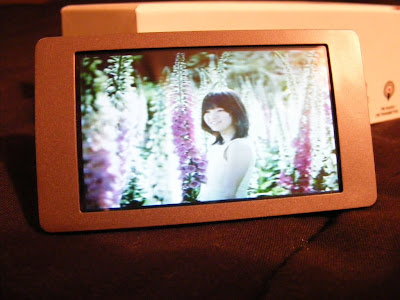
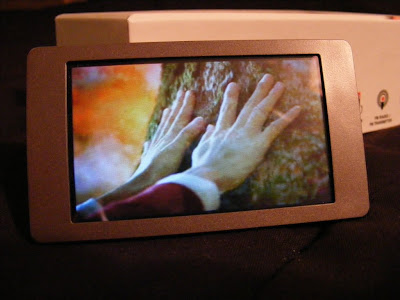 Photos. You can view JPEG, BMP, and GIF images. You can rotate the screen, but images don't auto-rotate to fit the screen, nor will they reliably rotate as the screen rotates. There is a one-step zoom option. You can pan around a zoomed image, but screen response is slow and a bit unpredictable. Images looks fine on the screen though, when you can avoid glare. This app is immature, and my experience suggests it won't be updated. Photo display gets a C+.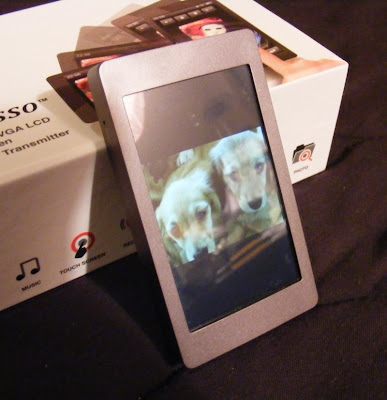
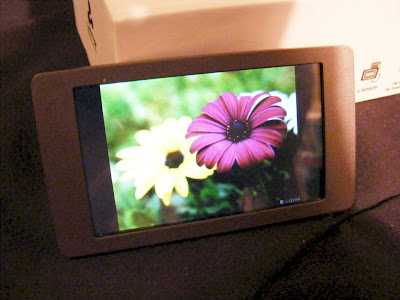 Text. TXT files can be read. You get three font sizes, as three font colors to choose from. The text will rotate as you turn the player for landscape or horizontal views. Legibility depends on the background and font color you choose, but text is crisp on the 420 x 240 screen. Moving through a large text file isn't as easy as it could be. It should be easy enough to throw a grocery list on the player, though you can't create one on the player itself. Text gets a C+.
 FM Radio. Works as expected. You can tune manually or let it autotune and select by preset stations. The presets page irritatingly doesn't let you pick a preset and jump to it, but it does let you delete or add stations easily. No RDS info. No HD radio tuning. Reception will vary depending on your headphones and orientation, as the headphone cable serves as the FM antenna. You can also record off of FM. You get two quality settings. To my ears the high quality WAV recording produced sounds just like the song did playing over the air. It take RDS to get an A from me, so FM Radio gets a B.
Voice Recording. There are two quality settings and five level settings. Recordings are in the .WAV format. I have no idea where the mic is on the Espresso but facing the screen the pickup seemed to be fine. There was noticeable 'static' in my recording. I could hear it through the headphone both while recording and playing back what I'd recorded. Not enough to make the recording useless, but something that will keep this feature of the Espresso from replacing your dictation machine. You can pause and resume while recording, and choose to save or not save a recording you've just made. You'll need to go into the music app or explorer to find an play back your recordings. Voice Recording gets a C-.
Stopwatch is your bonus app. Very basic. No lap times, and only a single timer. It displays time down to 100ths of a second. You can pause and resume a timing. There is also a reset icon. The display will rotate as the device rotates. That's it. Nothing special. C.
Explorer is what explorer does. Have a grand tour of the files you've put on your player.
Settings. Among other things the Settings option lets you turn on or off haptic response and the G-sensor. You can change or disable the backlight and power OFF timings. You'll also find your background choices here. Photo slide show timing is also here, although it would have been more useful in the Photo app.
·
Summary. I strongly suggest you use a soft tipped stylus with the Espresso. It's hard to be precise enough with a fat finger as the small icon/targets demand. Otherwise I find this Latte a good value for the money. FM broadcast from a media player is very convenient, and it works well on the Espresso. You can set the frequency you want to broadcast at, and any FM radio with 30 feet or so should be able to play your music. A cheaper alternative to wireless audio than Bluetooth although not as versatile. It's not as nice a player as the Samsung P2 or P3, but you get twice as much memory capacity for the same money. Target seems to have the best price on them right now, but don't trust their description. There is NO memory slot and no calendar on the Espresso. If you can get over that, I highly recommend Latte's Espresso.
4D


 From left to right the controls along the top edge include ESC/HOLD, Vol trigger, Menu, Back and Forward, and on the right end there is a Power/Play/Pause button.
 The front face reveals a 3" TFT screen with 400 x 240 pixel resolution (WQVGA), and left/right speakers on the ends. While not quite the 480 x 272 screens that are common on many players now, the iVu's screen looks great and will play videos in wide screen format up to 800 x 400 AVI.
 Although they are not great for anything with bass tracks, the little speakers do make it convenient to check out the features that include audio.
  The iVu will play music, videos, and FM radio. It will display photos and text. It has a stopwatch and calendar. The features that stand out though are rare on pocket media players. The iVu has a built-in camera that will take 2 megapixel photos, will record video with sound, and can output it's audio wirelessly to any nearby FM radio. I'm a big fan of bluetooth audio, but there is always an additional investment required to take advantage of bluetooth. Chances are great your car already has an FM radio, and any other portable media player you own that has it's own FM radio in it can receive and play the audio from the iVu.
  The left end of the iVu is where you'll find the 3.5mm headphone jack and standard mini USB port. No proprietary cable required. Included with the iVu is a 12DC to USB car adapter which will keep your iVu charged in your car, as well as a USB charging/data cable and typical earbud headphones.
  Music. You can play MP3, WMA, OGG, FLAC, ACC, and APE files with the iVu. Included was a FLAC file and an MP3 file to demonstrate binaural 3D sound. I'm not sure where you'll find any other examples to listen to, but the 3D demo shows off an amazing potential. Music sounded decent through the included earbuds, better through a better headset, and decent using FM to my desktop FM radio. Music will continue to play outside the music app, but a press of the play/pause button will take you instantly back into it. You can listen while viewing photos or text. There doesn't seem to be any cover art support, but you have a few display options within the music app. I'll give Music an A for the broad range of formats supported and output options.
  Radio. The radio includes manual search as well as auto preset search. You can add or delete channels from the presets. You can switch between stereo and mono output. You can pick from China, Japan, USA, Euro, and Campus Radio areas. Lastly you can record from the radio channel you are tuned to. With the headphones plugged in to serve as an antenna, the iVu found all my local stations reliably. When I tried to record from the radio the iVu locked up on me and would not respond to any inputs. Fortunately there is a on/off slide switch that serves as a hard OFF or reset and got the iVu working again. The Radio is satisfactory, but it'll take a firmware update to get the record feature working.
  Photos. The iVu wouldn't display any variable bitrate JPGs I put on it, but did display all other photos I tried. JPG, BMP, and GIFs are supported. There is a slide show feature which can be set to 2, 5, or 8 second between images. You can rotate images right or left in 90 degree steps. Zooming will work with photos that start out larger than the screen's native resolution. Images look crisp with the iVu's 155.5 dots_per_inch resolution. With all features working I have to give the photo app an A.
  eBook: Simple .TXT files are supported. You can set bookmarks, load a bookmark, and delete bookmarks associated with any file. There are Small, Mid, and Big font sizes to choose from. You can also choose from White, Green, or Black text color. There is even a Browse mode that will automatically page through your ebook at a chosen rate. It's not as graphically pleasing as the text viewer on the Samsung P2, but enough features are there to make it a reasonable application for perusing text when needed. I'll give the ebook reader a B+.
  Digital Camera: The iVu's lens is tiny and doesn't let in much light. With good light (outdoors in sunlight) it will take decent images although they don't match up to those I took with my original 2mp digital camera. You can set the captured resolution from 320 x 240 to 1600 x 1200. There are three backlight levels to choose from. You get Normal, Mono, Sepia, Negative, Solar1 and Solar2 effects to choose from. You can also switch between Auto and Night BW(?) settings. If they had put a better lens on the iVu the camera option might have been of value. I couldn't get a sharp picture no matter the setting. Digital Camera gets a D. Don't buy the iVu for this feature.

 Posts
Posts

