 I can't fathom why Samsung doesn't sell the YP-M1 media player in the U.S.. The 3.3" OLED screen over a Tegra processor has the stones to compete with the offerings of Cowon and iRiver and any other Korean maker, as well as Sony. Perhaps it is Apple's dominance that has them too timid to go head to head. No way of knowing, of course. I ordered this M1 from ExportPrive.com in South Korea, and it arrived within a week or so of my order. Pricey though for an 8gb touchscreen PMP.
So, what can a Tegra processor do for a pocket media player? In this Samsung it can process just about any media you can throw at it. From lossless audio files to 720p video, the M1 doesn't blink. Files that other devices choke on the M1 plays with no complaint. Samsung packs this power in a device smaller than last year's YP-P3 yet with a bigger screen. They've retained the P3's key features, but one-upped it in every media type application. Music and Video play, and even photo display are broadened and more visually entertaining.
Dimensions: 53.6 x 99.6 x 9.9mm. Weight 3.4 oz. or 95 grams (with microSD card inserted).
Included: Bundled earphones (EP390), USB Cable, PDF manual (on the M1), and a Quick Guide. Controls include Volume +/- and a Power/Hold button on the top edge with the microphone hole.

There is a microSD slot on the left side, with USB and headphone jacks on the bottom edge.


The M1 is stainless steel and tempered glass. Built like a tank. Some features:
- G-Sensor. Well utilized, with landscape and portrait modes of most main apps.
- Haptic Feedback. "Vibe Woofer", and tactile feedback of screen taps.
- Speakers. Top and bottom of the screen. Better than most.
- Microphone. Voice recording and phone calls.
- MicroSD-HC slot (not well integrated).
- Bluetooth, including headphone/file transfer/and phone.
- 1280 x 720 video support.
- TV-out (not HD, sorry). NTSC or PAL. Accessory cable not included.


Music: The M1 handles MP3, WMA, OGG, ASF, AAC, M4A (not lossless), and FLAC files. I've gotten a sample of every codec to play, although some high bitrate (lossless) versions generate an error message. The M1 is rated for up to 30 hours of music playback on a battery charge.TThe Now Playing screen is complete, with full width album art. The title, artist, album, file format, Play Mode, song length are also displayed. You have to tap the screen once to call up shuttle controls. The bottom row gives you quick access to the Music Settings and A-B marking.
·
The Settings include DNSe, Play Mode, Music Play Screen, Horizontal Stroke, Add to Playlist (up to 5 user playlists), Add to Alarm, and Play Speed. EQ (DNSe) preset options include Auto, Normal, Studio, Rock, Classical, Jazz, Ballad, Club, Dance, Cade, Concert Hall, and Church. There are two user EQ (MyDNSe) settings available.
·I found the Music Player very complete. The output from on-board speakers is better than most. Using good headphones the sound is excellent. Throw in Bluetooth output and you've got an A+ music app.
·
 Video: Samsung claims the M1 will play WMV, DivX, Xvid, SWF, H.264, ASF, and MPEG4. I have no doubt. The M1 is rated for up to 5 hours of video playback on a battery charge. It played every form of video file I threw at it. There is video out with the right cable, but sadly it only supports SD resolutions over NTSC or PAL.
·
Notice the little camera icon on the left above. When video is paused a tap on that icon will save an image the M1 will use to identify the movie when listing them. There are three list modes including a text list, an icons lists, and something like a coverflow list.·
Videos look stunning on the 3.3 inch OLED screen. You can see complete info about the video playing with a tap on the screen. The Settings menu includes DNSe, Display, Horizontal Stroke, Play Speed, and TV Out. You have Normal, Drama, Action, and Theater presets under DNSe. Display includes Brightess, Screen Size, and Subtitle options. You can a Bookmark one location in any video. Trying to add a second bookmark will over-write the first. It is a great video app, but not quite as complete as that on my Cowon J3. For that reason video gets an A-.

 ·
·Photos: The M1 will display JPEG, BMP, and PNG files. There are two graphic preview styles. The one on the right above is dynamic, panning vertically up and down to reveal your photo thumbnails. Photos are automatically rotated to best fill the screen. You have the option to manually rotate them in 90 degree increments. Zoom is available up to 3X. Tap on a magnifying glass icon to bring up a vertical zoom slider. Photos that are higher resolution than the screen appear to zoom without pixelating. You can actually use this photo app for zooming in on detail in a photo. There are several clever visual transition options for slide shows. No doubt thanks to the Tegra chip. The delay between photos in a slide show seems to be fixed at 5 seconds though. I like the Photo app. It is fairly complete. Surprisingly it is not quite as full featured as that on the earlier Samsung P3. The OLED screen is much better looking though. I give the M1's Photo capability a B+.
 Documents: The Samsung P2 and P3 have great txt file readers, and the M1 follows in that tradition. You get a coverflow style list of the documents on board in the landscape mode. Text will rotate as the M1 rotates. You can change the background (paper type) and text colors, as well as the text size (small, medium, large). There is a nice graphic page flip animation when turning pages. You get one bookmark setting for each file. Again, there is nothing apparent in this application that looks improved over the P3's version, except of course the larger screen and clever graphic list view. It remains one of the best text reader you'll find on any PMP, so I give it an A.
  The Samsung P3 is an amazing player. This M1 is slightly better, but mainly in the graphic effects the Tegra chip apparently encourages. There is far more than Music, Video, Photos, and Text you can enjoy with the M1 though. In the 2nd half of this review I'll cover the more esoteric features. So far, the M1 is looking good.
 Stay Tuned.
4D


 Music: The Theatre will play MP3, WMA (not lossless), AAC, WAV and OGG. Rated for 12 Hours of Audio Playback on a single charge. One sample file is included. The image above shows the music player screen. Cover art will display if it is included in the audio file. You can see and change your position in a song. To change volume you have to tap the second icon from the left on the bottom row, then hit a + or - to raise or lower the volume. Not very efficient. Nicely though the song name, album, artist, bit-rate, and play mode are displayed. A-B marking is also thrown in.
  Movies: The user manual and web site state you can watch AVI videos. I've gotten AVI and WMV (not listed in the manual) to play. I have a feeling the user manual doesn't have all the info about this player listed. The Theatre is rated for 3.5 Hours of playback time on a full battery charge.
 Documents: Reads simple TXT files. You can change the font color and text size. The text options screen wasn't very responsive to touch. You can also have the pages auto-flip, and change the delay between page flips. Again, a very basic text display app. I'll give it a C too.
  FM Radio: Nothing unusual about the FM radio on the Theatre. Your frequency is displayed both graphically on a slider bar and in large numbers above. You can advance stations by auto-found presets or manually. You'll need the headphone cable inserted as it serves as antenna, and your reception will vary depending on the length, position, and quality of that cable. I experienced more static than I usually get with similar devices. No RDS. I'll rate FM on the Theater a B.


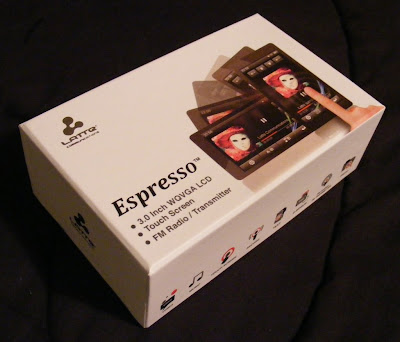 Latte looks like they want to move up the ladder in the touchscreen player market.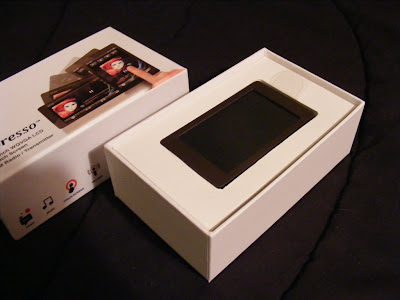
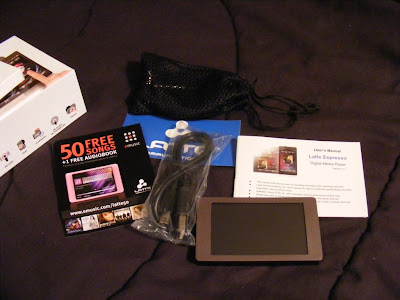 The earbuds appear to be well made and designed to compliment the Espresso's style. They come with uneven length cables to the buds which makes them easy to wrap behind your head. They also came with a nice net bag and spare set of tips. As a bonus they also sound Great. Good bass, plenty loud, external sound isolating, no audible noise, and expressive across the audio spectrum. They are on sale for $5.99 at
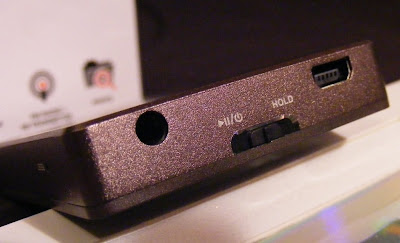
 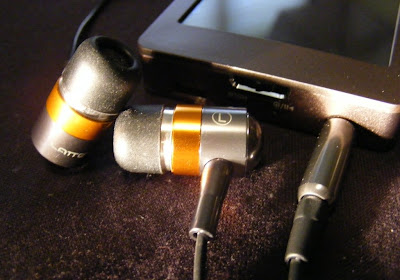 The only external control is the Power/Play/Pause/Hold slider. On the same end you'll find the USB and headphone jack. There is a small reset hole just around the corner. I love the way the Espresso looks, with a clean simple bronze body evenly framing the 3" touchscreen. The back and sides appear to be aluminum with a fine bevel between them . The front screen surround is plastic. The back is brushed, and the overall finish does a good job at not showing fingerprints.
  If you care about where your headphone jack is, then the Espresso has the perfect solution. The internal G-sensor knows where down is, and no matter how your rotate it the icons and apps all rotate to stay upright. The main menu is a simple array of icons. A tap takes you to either the files list for the app or right into the (radio) player. There is a nice haptic vibration to confirm your selection.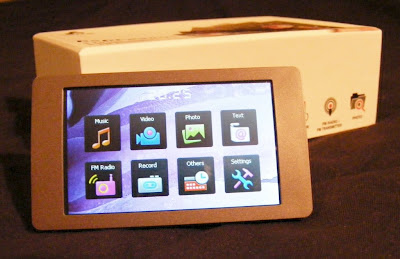
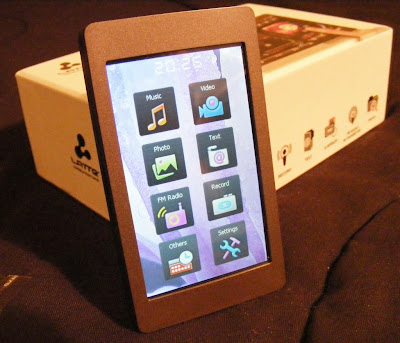 Music. This Latte will play back MP3, WMA, FLAC, APE, and AAC (no DRM) files. I've tried MP3, WAV, WMA, and FLAC with success, although it wouldn't play lossless WMA files. The music app is nearly complete. Missing is the ability to advance to any part of a song. There doesn't appear to be gapless playback. I couldn't find any playlist support in the manual or on the device, but there is an option to add songs to a single favorites list. The now-playing screen lets you tap between album art, a graphic equalizer, EQ/bitrate/repeat/shuffle info, or the ID3 info including title, album, and artist. There is a large PLAY/PAUSE button, with track and volume buttons smaller and along the right side (or top in portrait view). You also get an A-B button, lyrics toggle, settings icon, and BACK (previous screen) icon. Finding a single song in a long list is a tedious process. There is no reliable way to jump to a relative position in a list, and with no swipe or fast scroll of the list the touchscreen capabilities are underutilized. Yet this music app is better than most I've seen on budget Chinese media players. I've been enjoying a shuffle though my music collection as I write this. Music gets a B+.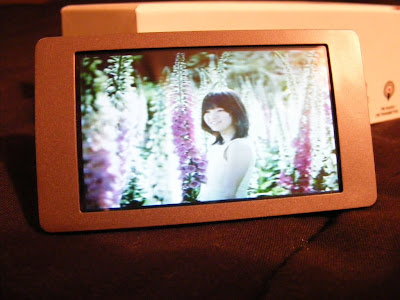
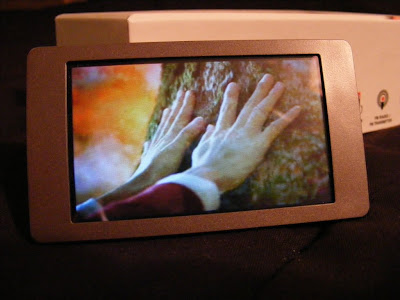 Photos. You can view JPEG, BMP, and GIF images. You can rotate the screen, but images don't auto-rotate to fit the screen, nor will they reliably rotate as the screen rotates. There is a one-step zoom option. You can pan around a zoomed image, but screen response is slow and a bit unpredictable. Images looks fine on the screen though, when you can avoid glare. This app is immature, and my experience suggests it won't be updated. Photo display gets a C+.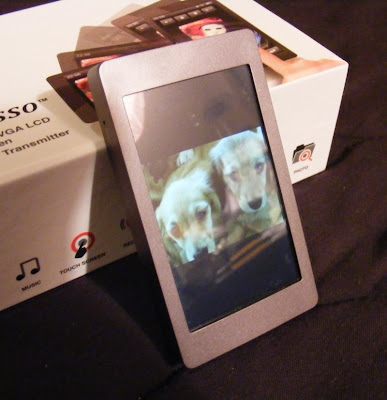
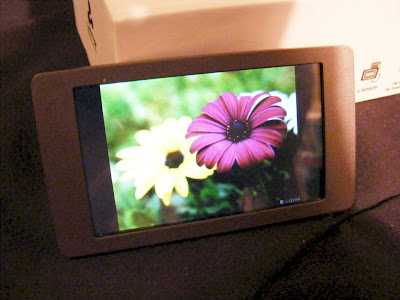 Text. TXT files can be read. You get three font sizes, as three font colors to choose from. The text will rotate as you turn the player for landscape or horizontal views. Legibility depends on the background and font color you choose, but text is crisp on the 420 x 240 screen. Moving through a large text file isn't as easy as it could be. It should be easy enough to throw a grocery list on the player, though you can't create one on the player itself. Text gets a C+.


 - They've completely started over with music art display in landscape view. You get a 3 x 5 array of your album art. Slide left or right to see more pages.
 - You now can opt to give the S9 a shake to change songs forward or back a track. You can also optionally lock off both landscape Matrix View and the Shake feature.
 - It's still in beta, so you can expect a few more improvements before the final release. A few things that still need work include remaining in your previous sort mode once you select a song from the landscape matrix view.

 Posts
Posts

