
If you are looking for something that has a big screen and can play your videos then the
iRiver P7 may be just what you need. With a 4.3" touchscreen and an original interface the P7 is an excellent video/photo display device. You also get ebook (TXT) display, Music play, FM radio with recording, and voice recording. There's a world clock, calculator, and calendar too.
 Included
 in the box is a Quick Guide, Software CD, Warranty booklet, Headphones with pads, Data Cable, and a stylus.


The Data Cable is proprietary. Plugged into your PC you are presented with three options: Power and Data, Power and Music, or only Power.

One nice thing about the touchscreen is that you can touch it with your finger or a stylus. A simple aluminum (I think) stylus is included.
 Dimensions
 are 0.53" thick by 4.44" wide by 2.9" tall. It weighs 174 grams or 6.1 ounces. For comparison my
iPod Touch weighs 4.2 ounces and my
Zune 80 weighs 4.9 ounces. It's no lightweight for sure.
Controls include a power button, volume +/-, and a menu button across the top edge. Along the right side is the headphone jack, microphone, hold slider, wrist strap connection point, microSD slot and a reset hole. The data port is under a sliding bar on the bottom edge. The back has a speaker slot, and the front has a small led charge indicator light.


 UI.
UI. Turned on you are presented with "designed by iriver" as the Operating System loads up. No icons on this touchscreen. The home page is like a contemporary magazine contents page. Each application has it's own section of the screen. Music displays the album art of the last or current song playing. Photo is the last one you viewed. If there was art with the movie you last watched it'll display in the video section. You'll see the last radio channel listened to, and in the document section you get a snippet of the last text you viewed.

I have to admit that I was not overly impressed the first time I turned on the P7. It's not obvious what to do, but touching any area on the screen invariably opens an application. Touch the album cover art and you'll find yourself in the music application. The upper most level gives you the choice of Now Playing, Quick List, All Music, Artists, Genres, "My Playlist", and "My Rating" to sort your music by. Quick list is basically a playlist you can create as you browse through your songs.
The Music App is straight forward and competent. Supported formats include MP3(8-320kbps), WMA(8-320kbps), OGG(Q-Q10), FLAC, and WAV. Music sounds great. The options along the bottom of the Now Playing screen include back (to music list), RWD, Pause/Play, FFwd, AB tagging, Bookmark, and Goto (bookmarks). You get a roughly 1.375" square album art image, a dynamic waveform graphic, the Title, EQ option, Shuffle/Repeat access, and the option to rate (0-5 stars) the song. A side menu gives you access to SRS WOW HD settings, User EQ settings, and Fade-in ON/OFF. If your song has lyrics attached a swipe across the album art will reveal them. A long swipe across the width of the screen will slide the art over to show a short section of the song list to scroll through and choose from. Lastly there is a standard M in the top right to take you to the home menu from any page.  Video playback is also right to the point and excellent. Formats include AVI, WMV, MP4, RM.RV, DAT/MPG, 3GP/K3G, and FLV. The video app remembers where you are within any video previously played. You can stretch video to fill the whole screen. The expected skip back/forward and play/pause are there. You also get the same bookmarking options the music app had. The submenu has Ratio, Video Option, and Subtitles, with Scan Speed and Play mode under Video Option. I've tested MP4, AVI, and WMV files on my P7. All played fine. The only negative thing I can find about video play on the P7 is related to the screen technology used. The AMOLED screen of the iRiver SPINN can be viewed from any angle without color distortion. The P7's LCD screen discolors when viewed from any low angle, and dims a little when viewed from the side or above. It's also a little washed out compared to the same video played on any AMOLED screened player.
Photos are beautiful, although again not as stunning as they appear off the AMOLED screens of the Cowon S9 or iRiver SPINN. The P7 will rotate your photos to best fit the screen automatically, or you can rotate them yourself. Zoom and pan to 1/2, 1/3, or 1/4 of the photo on the screen, but not fluidly. Photo scaling and sliding is nothing to be proud of but it does work. You get to control the timing of your slide show, and can sort photos within folders to specify a subset you might want to slide show through. The 4.3" screen certainly improves the experience as it's close to the size of dedicated digital photo frames. You may not mind looking at your photos on a 2" screen ( of an Ipod Nano for example), but once you see them at 4.3" you won't want to go back.  Recording is straight forward and versatile. Tap the red circle on the home screen and you're in the recording app. The submenu lets you pick from 3 quality settings including 64, 96, and 128Kbps WMA. The mic is on the right end of the P7, and I got the best recording if I talked directly into it or at least tilted the P7 so the right end was toward me. Once you have a recording or two you can play them directly from the recording app. Your list of recordings is revealed if you slide the screen from right to left.
The calculator appears better than I normally find on Korean made PMPs. This one has memory functions, square root, and percentage. Using it is a little confusing, however. One simple way to find the Golden Ratio is to take the square root of 5, divide it by two, then add one. This calculator won't let me enter "5 √ ÷ 2 = + 1 =". The math can be done, but not without employing the memory to save intermediate values. It doesn't seem to cache current results for the next calculation. Fix this, iRiver! Radio. Nothing special here. The P7 FM Radio app won't bother doing anything until you plug in some headphones (antenna), and actually reminds you to. Once plugged in, you can manually tune or have the P7 automatically scan for and create a preset list of available channels. No RDS. You can record from FM, and choose from three different quality settings. There is no scheduled record. Competent, but not extraordinary.
Text. A nice option for a big screened player. You can put any TXT file on the P7 and view it there. The screen will report how many pages of text there is in the file. It will auto-scroll the text for you, using a variable rate you can set in the submenu. You've got three sizes of fonts to choose from, also in the submenu. You can also pick from several languages. There is a bookmarking option, and once you have set at least one bookmark in a file you can then pick from a list of the bookmarked positions to go to. There is no font or background color option. The black/gray text on the white background is easy enough to read though. My old eyes appreciate the large font option.
Conclusions? At $199 for a 16gb model I think the P7 is a bargain. It has a microSD slot that supports at least 8gb cards (largest I had to try). It's not ideal as a pocketable player, but would be an excellent media device to keep in your briefcase or purse. It's an excellent way to show off photos and videos. You can sync media with it using Windows Media Player or the included Jetaudio app, or just drag and drop media files directly onto it. It played everything I put on it except a protected WMV file that was included with a BluRay movie. There is a rumor that it supports video output, but I have found no concrete proof of this.
I've you've been looking for a large screened player, this is a good one. It's likely to get better with firmware updates. I'm keeping mine.
4D
Firmware version 1.15 LINK (English). IRiver LINK.


 also comes with


 Now that
  Source:
  - Video: MPEG-4 HD (up to 720p), MPEG-48 (ASP@L5 AVI, up to DVD resolution), H.264 HD (up to 720p), WMV (MP@ML, up to DVD resolution) including WMV protected files, MKV (up to 720p, 2500kbs, 23fps), M-JPEG (Motion JPEG Video) in QVGA resolution. Up to 7 hours.
  - Photos: JPEG, BMP, PNG, GIF
 - Flash Games
 The User Interface: Sensitive and reliable. Some actions take awhile to process and that can make you think the UI is sluggish, but once you are at the Home Menu or within the photo app you'll see there is plenty of horse power for smooth graphics and quick response when it is most important. The body has only three external buttons. Thankfully they included VOLume Up and VOLume Down along with the Power button.
 Quality: As a media player this Archos has what it takes. Music, Video, and photos all take advantage of the hardware, sounding and looking great. Using Wifi you can also access shared folders on your home network to find far more than you might have stored locally on the 5. As a pocket computer the 5 is not completely there, but it's got the tools to improve with firmware updates. Support for a bluetooth keyboard and network printer would be all that's needed to eliminate one's need for a notebook PC. The 5 tends to attract fingerprints front and back, but so do most touchscreen devices I've tried. Seams between body halves are a little sharp. The built-in stand is a nice touch and is mounted stiffly enough to be adjusted to variable viewing angles. It will also prop the 5 up on it's right end but the 5's rounded end makes for a teetery perch.
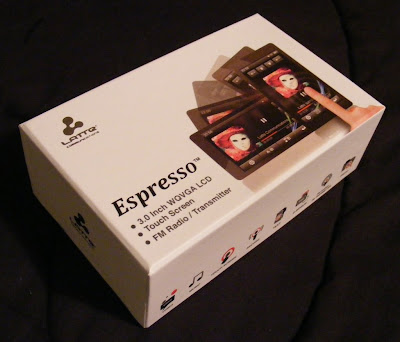 Latte looks like they want to move up the ladder in the touchscreen player market.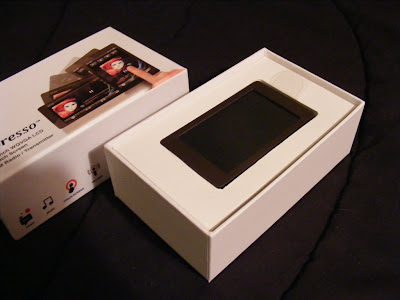
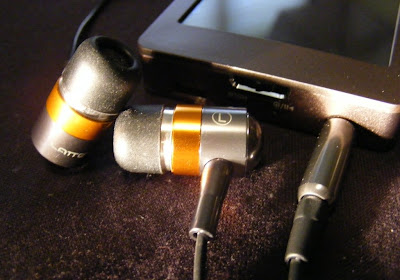
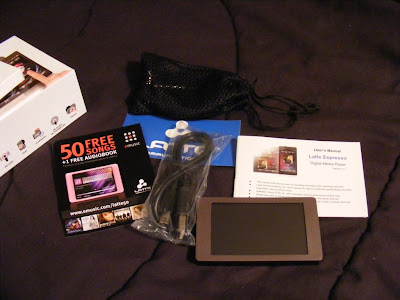 The earbuds appear to be well made and designed to compliment the Espresso's style. They come with uneven length cables to the buds which makes them easy to wrap behind your head. They also came with a nice net bag and spare set of tips. As a bonus they also sound Great. Good bass, plenty loud, external sound isolating, no audible noise, and expressive across the audio spectrum. They are on sale for $5.99 at
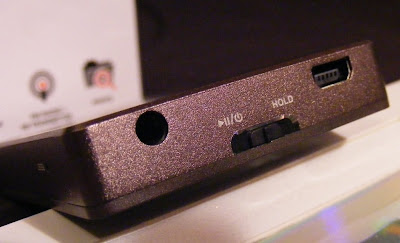
  The only external control is the Power/Play/Pause/Hold slider. On the same end you'll find the USB and headphone jack. There is a small reset hole just around the corner. I love the way the Espresso looks, with a clean simple bronze body evenly framing the 3" touchscreen. The back and sides appear to be aluminum with a fine bevel between them . The front screen surround is plastic. The back is brushed, and the overall finish does a good job at not showing fingerprints.
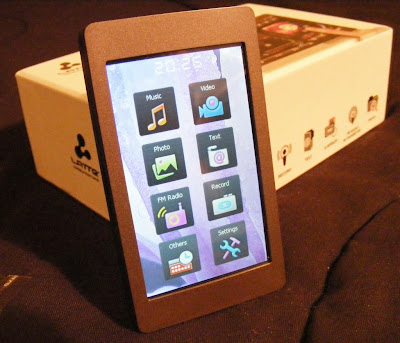
  If you care about where your headphone jack is, then the Espresso has the perfect solution. The internal G-sensor knows where down is, and no matter how your rotate it the icons and apps all rotate to stay upright. The main menu is a simple array of icons. A tap takes you to either the files list for the app or right into the (radio) player. There is a nice haptic vibration to confirm your selection.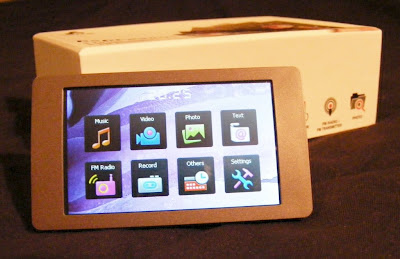
 Music. This Latte will play back MP3, WMA, FLAC, APE, and AAC (no DRM) files. I've tried MP3, WAV, WMA, and FLAC with success, although it wouldn't play lossless WMA files. The music app is nearly complete. Missing is the ability to advance to any part of a song. There doesn't appear to be gapless playback. I couldn't find any playlist support in the manual or on the device, but there is an option to add songs to a single favorites list. The now-playing screen lets you tap between album art, a graphic equalizer, EQ/bitrate/repeat/shuffle info, or the ID3 info including title, album, and artist. There is a large PLAY/PAUSE button, with track and volume buttons smaller and along the right side (or top in portrait view). You also get an A-B button, lyrics toggle, settings icon, and BACK (previous screen) icon. Finding a single song in a long list is a tedious process. There is no reliable way to jump to a relative position in a list, and with no swipe or fast scroll of the list the touchscreen capabilities are underutilized. Yet this music app is better than most I've seen on budget Chinese media players. I've been enjoying a shuffle though my music collection as I write this. Music gets a B+.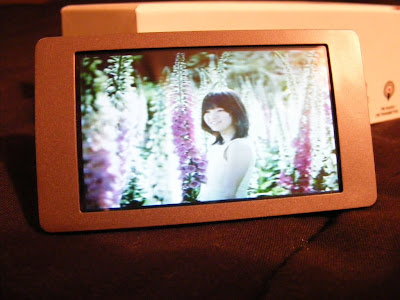
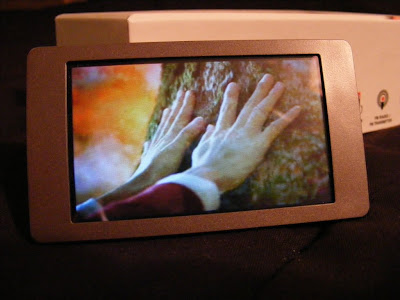 Photos. You can view JPEG, BMP, and GIF images. You can rotate the screen, but images don't auto-rotate to fit the screen, nor will they reliably rotate as the screen rotates. There is a one-step zoom option. You can pan around a zoomed image, but screen response is slow and a bit unpredictable. Images looks fine on the screen though, when you can avoid glare. This app is immature, and my experience suggests it won't be updated. Photo display gets a C+.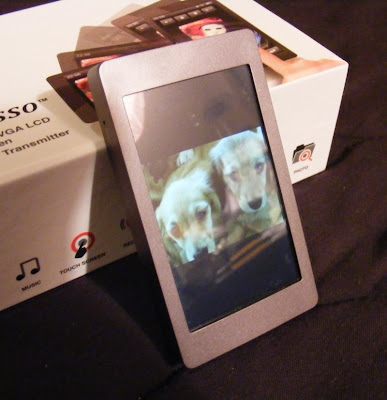
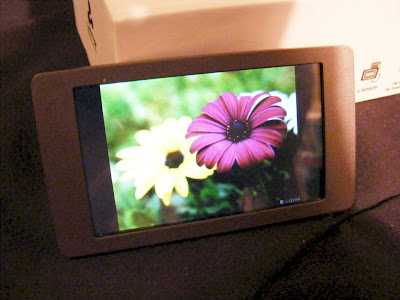 Text. TXT files can be read. You get three font sizes, as three font colors to choose from. The text will rotate as you turn the player for landscape or horizontal views. Legibility depends on the background and font color you choose, but text is crisp on the 420 x 240 screen. Moving through a large text file isn't as easy as it could be. It should be easy enough to throw a grocery list on the player, though you can't create one on the player itself. Text gets a C+.

 The top edge has a simple power/off slider and a place to hook a wrist strap.
  There is a microphone somewhere, but no marked indication for it on the body. Construction is decent, although they took no time to disguise the screws that hold it together. Looks like it would be easy to inspect the insides if you wanted to.
 The screen is only 1.46", but is full color for photo display. You can choose from dark, blue, or pink for the background menu color. As for photo display the resolution is only 176 x 132 pixels. Most inexpensive photo key chains do better.



 Posts
Posts

