
If you are looking for something that has a big screen and can play your videos then the
iRiver P7 may be just what you need. With a 4.3" touchscreen and an original interface the P7 is an excellent video/photo display device. You also get ebook (TXT) display, Music play, FM radio with recording, and voice recording. There's a world clock, calculator, and calendar too.
 Included
 in the box is a Quick Guide, Software CD, Warranty booklet, Headphones with pads, Data Cable, and a stylus.


The Data Cable is proprietary. Plugged into your PC you are presented with three options: Power and Data, Power and Music, or only Power.

One nice thing about the touchscreen is that you can touch it with your finger or a stylus. A simple aluminum (I think) stylus is included.
 Dimensions
 are 0.53" thick by 4.44" wide by 2.9" tall. It weighs 174 grams or 6.1 ounces. For comparison my
iPod Touch weighs 4.2 ounces and my
Zune 80 weighs 4.9 ounces. It's no lightweight for sure.
Controls include a power button, volume +/-, and a menu button across the top edge. Along the right side is the headphone jack, microphone, hold slider, wrist strap connection point, microSD slot and a reset hole. The data port is under a sliding bar on the bottom edge. The back has a speaker slot, and the front has a small led charge indicator light.


 UI.
UI. Turned on you are presented with "designed by iriver" as the Operating System loads up. No icons on this touchscreen. The home page is like a contemporary magazine contents page. Each application has it's own section of the screen. Music displays the album art of the last or current song playing. Photo is the last one you viewed. If there was art with the movie you last watched it'll display in the video section. You'll see the last radio channel listened to, and in the document section you get a snippet of the last text you viewed.

I have to admit that I was not overly impressed the first time I turned on the P7. It's not obvious what to do, but touching any area on the screen invariably opens an application. Touch the album cover art and you'll find yourself in the music application. The upper most level gives you the choice of Now Playing, Quick List, All Music, Artists, Genres, "My Playlist", and "My Rating" to sort your music by. Quick list is basically a playlist you can create as you browse through your songs.
The Music App is straight forward and competent. Supported formats include MP3(8-320kbps), WMA(8-320kbps), OGG(Q-Q10), FLAC, and WAV. Music sounds great. The options along the bottom of the Now Playing screen include back (to music list), RWD, Pause/Play, FFwd, AB tagging, Bookmark, and Goto (bookmarks). You get a roughly 1.375" square album art image, a dynamic waveform graphic, the Title, EQ option, Shuffle/Repeat access, and the option to rate (0-5 stars) the song. A side menu gives you access to SRS WOW HD settings, User EQ settings, and Fade-in ON/OFF. If your song has lyrics attached a swipe across the album art will reveal them. A long swipe across the width of the screen will slide the art over to show a short section of the song list to scroll through and choose from. Lastly there is a standard M in the top right to take you to the home menu from any page.  Video playback is also right to the point and excellent. Formats include AVI, WMV, MP4, RM.RV, DAT/MPG, 3GP/K3G, and FLV. The video app remembers where you are within any video previously played. You can stretch video to fill the whole screen. The expected skip back/forward and play/pause are there. You also get the same bookmarking options the music app had. The submenu has Ratio, Video Option, and Subtitles, with Scan Speed and Play mode under Video Option. I've tested MP4, AVI, and WMV files on my P7. All played fine. The only negative thing I can find about video play on the P7 is related to the screen technology used. The AMOLED screen of the iRiver SPINN can be viewed from any angle without color distortion. The P7's LCD screen discolors when viewed from any low angle, and dims a little when viewed from the side or above. It's also a little washed out compared to the same video played on any AMOLED screened player.
Photos are beautiful, although again not as stunning as they appear off the AMOLED screens of the Cowon S9 or iRiver SPINN. The P7 will rotate your photos to best fit the screen automatically, or you can rotate them yourself. Zoom and pan to 1/2, 1/3, or 1/4 of the photo on the screen, but not fluidly. Photo scaling and sliding is nothing to be proud of but it does work. You get to control the timing of your slide show, and can sort photos within folders to specify a subset you might want to slide show through. The 4.3" screen certainly improves the experience as it's close to the size of dedicated digital photo frames. You may not mind looking at your photos on a 2" screen ( of an Ipod Nano for example), but once you see them at 4.3" you won't want to go back.  Recording is straight forward and versatile. Tap the red circle on the home screen and you're in the recording app. The submenu lets you pick from 3 quality settings including 64, 96, and 128Kbps WMA. The mic is on the right end of the P7, and I got the best recording if I talked directly into it or at least tilted the P7 so the right end was toward me. Once you have a recording or two you can play them directly from the recording app. Your list of recordings is revealed if you slide the screen from right to left.
The calculator appears better than I normally find on Korean made PMPs. This one has memory functions, square root, and percentage. Using it is a little confusing, however. One simple way to find the Golden Ratio is to take the square root of 5, divide it by two, then add one. This calculator won't let me enter "5 √ ÷ 2 = + 1 =". The math can be done, but not without employing the memory to save intermediate values. It doesn't seem to cache current results for the next calculation. Fix this, iRiver! Radio. Nothing special here. The P7 FM Radio app won't bother doing anything until you plug in some headphones (antenna), and actually reminds you to. Once plugged in, you can manually tune or have the P7 automatically scan for and create a preset list of available channels. No RDS. You can record from FM, and choose from three different quality settings. There is no scheduled record. Competent, but not extraordinary.
Text. A nice option for a big screened player. You can put any TXT file on the P7 and view it there. The screen will report how many pages of text there is in the file. It will auto-scroll the text for you, using a variable rate you can set in the submenu. You've got three sizes of fonts to choose from, also in the submenu. You can also pick from several languages. There is a bookmarking option, and once you have set at least one bookmark in a file you can then pick from a list of the bookmarked positions to go to. There is no font or background color option. The black/gray text on the white background is easy enough to read though. My old eyes appreciate the large font option.
Conclusions? At $199 for a 16gb model I think the P7 is a bargain. It has a microSD slot that supports at least 8gb cards (largest I had to try). It's not ideal as a pocketable player, but would be an excellent media device to keep in your briefcase or purse. It's an excellent way to show off photos and videos. You can sync media with it using Windows Media Player or the included Jetaudio app, or just drag and drop media files directly onto it. It played everything I put on it except a protected WMV file that was included with a BluRay movie. There is a rumor that it supports video output, but I have found no concrete proof of this.
I've you've been looking for a large screened player, this is a good one. It's likely to get better with firmware updates. I'm keeping mine.
4D
Firmware version 1.15 LINK (English). IRiver LINK.



 I like to spend time with a new product before I get into a critical evaluation of it's features. I've had my X1051 for about two weeks now, and am only just starting to find it's secrets out. This is no simple device, although it may seem that way on the surface. Here are basic specs, borrowed from
 The now-playing screen is full of information. You'll see the album art (although not full screen width), Song title, Artist, Album, play mode, and a position indicator all in a quick glance at the screen. Nice icons aside the items help distinguish them.
 Music will continue to play after leaving the music app, so you can listen while perusing photos or the web. The OLED screen makes viewing whatever is on the screen very easy from any angle. A nice surprise compared to the LCD screens many other players use. The Music app is a pleasure to use on this Sony. It exploits album art with a choice of list or array views showing covers, and a flashy vertical 3D-ish album slide right from the Now Playing screen.
  Video: Two BIG strikes against video on this Sony are the limited codec support and limited resolution support. When something does play it looks great on the OLED screen. With a limit of 262,144 colors (compared to 16 million on the Cowon S9's AMOLED screen) you may see some blockiness depending on the video. The X1051 comes with three demo videos on board, each at 432 x 240 in WMV format. The user manual implies it will play videos up to 480 x 270, but of course the standard size (many other players support) is 480 x 272, or in other words two pixel rows beyond what the Sony plays. Speaking of the user manual (found on the included CD), it appears it was cut and pasted from Sony's other players as 320 x 240 pixels seems to be the best it can support in any other format. That just happens to be the resolution every previous Walkman's screen was limited to. I threw a 320 x 240 WMV file on and it did play. You can have the video stretch to fill the larger screen if you choose. No dropped frames. Audio stayed in-sync with the video. I have no doubt this Walkman is a competent video player, yet it's limited resolution support means a whole new round of down-conversion will be required if you own larger videos already. There are dozens of players out there with larger screens and better video playback, so I can't recommend this Sony if that's your major reason for purchasing one. Windows media player 11 managed to convert one of my larger WMV videos to a smaller resolution that does play on the X1051. It took 7 hours. Not good. The nicest feature in the video app is that it lets you delete (non-playable) videos from the player.
  Photo: Here's another place where Sony seems to have gone only half-way. Photos will display on the screen, and apparently auto-rotate to best fit, then expand or shrink to bump the screen edge(s). You can easily flick between photos. No Zoom I could find. No manual rotating of images. No slide show feature I could find, although there may be one hidden in the settings. You can use a photo as a wallpaper for the home screen at least. Yes, this Sony will display your photos. They'll look great on the OLED screen as seen above. That's about it though.
 Podcast: This is one place the Sony excels. With WiFi connected, you can choose and subscribe to podcasts right on the player. Once subscribed to the player will download the latest episode for your listening pleasure. Not every podcast works, as I found one that refused to play, but when they do it is very, VERY convenient. I have several podcasts I listen to regularly, yet don't bother putting them on any other player. It requires first downloading them to my PC then copying them to the player. They are simply easier to listen to on my PC. I don't need my PC on to get updated podcasts uploaded to the Sony. The Sony manages podcasts on it's own and eliminates that PC step! One major thing it doesn't seem to manage is video podcasts. I've also had no luck figuring out how to add podcasts that aren't listed within the podcast web list. A search option would also help find podcasts you already know about.


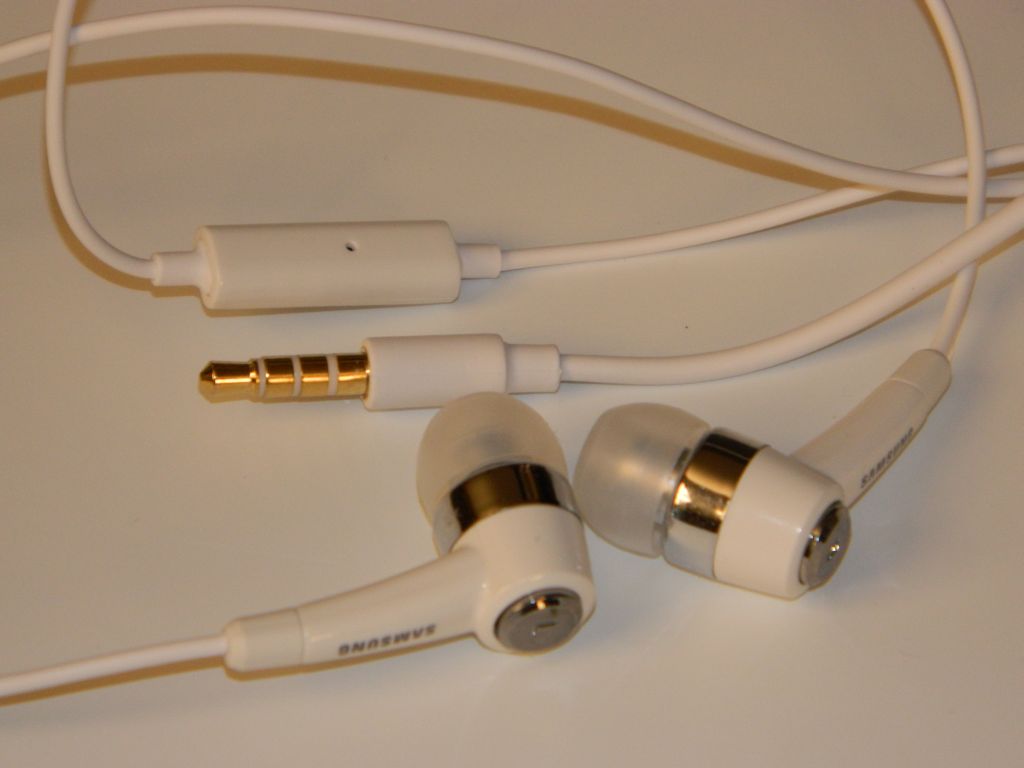
 Noise Cancelling: This is a useful feature. It works only with the included earbuds. There is an on-off switch for noise cancelling on the side of the player. There is an icon/app dedicated to noise cancelling on the home menu. You can choose one of three environments (Bus/train, Airplane, or Office) for noise cancelling. Using the included external line-in cable this player can also serve as a noise cancelling pass-through for other devices. In the settings menu you can set the noise cancelling level to anywhere from -15 to +15, although I'm not sure what that scale relates to. With mine set to 9 and the switch ON while in Office mode, I find noise cancelling works almost perfectly. Where I sit typing this there is a cacophony of sounds. The PC's fan whirs. The keyboard clicks. My chair squeaks. The house air conditioner blows. The phone rings. Yet with noise cancelling in play I hear only my music. Sublime.
 Conclusion: It's a great music player. Your music listening experience can't get much better than this. If you enjoy podcasts on-the-go then you NEED this player. Looking for a pocket video player? Skip this one. Need a PDA? This isn't it. Wishing for some games? Keep wishing. I'm conflicted by this widescreen Walkman. It has a couple of capabilites that no other player I have has. It costs more than an


 The bottom edge reveals the headphone jack as well as a slide button to eject the USB jack.
  The right end is where the USB plug hides. Slide it out and you can plug the Mix directly into a USB jack on your PC. It's a bit fatter than most USB thumb drives, so you may need a short USB jumper cable.
 The main menu consists of 6 options. Music, FM radio, Recording, Folder View, Settings, and Last Played:
 FM Radio: There are up to 20 preset positions to save your local radio stations in. FM requires the headphone cable to be plugged in as the antenna. Reception will vary depending on the quality, length, and position of that cable. I found FM sound quality to be satisfactory. The auto-tuner was precise and found all my local channels at their published frequencies. The interface is efficient, giving you the option to go into a list of your presets to select a station before the sound kicks in. Once you pick a station the audio level comes up slowly to give you a chance to adjust the volume if it gets too high. A down or up tap of the front controls will take you down or up a preset respectively. You can also opt to enter the app in manual-tune mode. This is handy for when you're in a new area and don't want to reset the preset list. There is no RDS and no FM recording. There is no mute. Once started FM will continue to play until you pick a song from the music app, begin a recording, or turn off the Mix.
  Recordings: It couldn't be simpler. Once you select the Recordings option you get two choices. You can start a Voice Recording or access the library of existing recordings. Pickup from the internal microphone doesn't appear to be very sensitive. At about 12" from the player my voice did record but at a low level. I had better luck holding the player within 3" of my mouth. I'm not impressed with the quality of the recording compared with against other players I own. Don't buy this player for the recording feature, but it might be handy for a quick voice memo to yourself.
  Folder View is a simply way to browser the contents on your Mix. You'll find the Music, Playlists, and Recordings folder, as well as any standalone file you may have transferred to the Mix.
  Settings is where you'll find options to change the display colors, a few equalizer presets to choose from, the Play Mode, Information about the device, and an option to restore it to factory settings.
  Last Played is the final option. This will return you to the last thing played, be it a recording, radio station, or music file.
 The controls are well marked, straight forward, and simple to understand. I enjoy it's simplicity and compact size. All the optional software was include on the device itself rather than a secondary CD to lose. It won't win any audiophile awards, but should bring a few years of music enjoyment to anyone who owns one. I'll rate this one a Good Buy.


 Posts
Posts

