 Added home pages: You can create as many as 5 pages for the 1st home screen (icon array) style. This hopefully indicates more apps/games may be coming for the J3. Notice the gray bars at the top. The 5th one is highlighted to indicate the current page. You can't have a page with no icons on it or it will disappear. To move icons to a new page first hold down on one to select it, then drag it to the right side of the screen. New pages are always added on the right.
 Play/Pause Tab: The 1st home screen style also has a music Pause/Play bar on bottom of the screen. It reminds you what the current song is. Tap once to pause. Tap again to start playing. It is visible no matter which (first style) home page you are on.
·
 Additional, undocumented codec support: MP4 (video) and M4A/AAC (audio) files will also play on the J3, despite not being listed in the official specifications. You won't get full album art support, but it's nice that you can drag (non-DRMed) songs from your iTunes music folder right to the J3. and they will be playable. Not every MP4 movie I tried would play, but most did.
·Unicode character support: Not perfect, but characters from Arabic and other languages do display. Still work to be done though for languages that read from right to left. A sample of Arabic text in an MP3 file name displayed backwards. The letters and cover art of that file did display though. On my Zune HD the letters appeared as blocks and the album art did not display.
 Transitions: There are two slide show transitions for the photo app, as well as variable timing between slides. Notice the icons right of the blue bar in the photo above. Pressing the lower one will initiate fade-in of photos during slide shows. The upper one initiates sliding in of the next photo from the right during shows. You also can make any image, even zoomed in sections of an image, be your home screen wallpaper. To do so, tap the 2nd icon down (on the right side in the image above).
 Bookmarks: You can create up to 256/file bookmarks per file. You can bookmark audio and video files, as well as the percentage you are into a document in the document reader. In the Music player (above) tap the top blue bar, then the + icon to see the Favorites and Bookmark icons. Tap the Bookmark icon to add a bookmark for the current song and position in the song.·
 Widgets: The third menu style has an array of Widgets to choose from. They can be installed on any of three screens:
- Clock 1 (analog)
- Clock 2 (digital)
- Brightness (car headlights)
- Battery level (graphic)
- Alarm
- Quick Player
- Memo Pad
- Calendar
- RECorder
- Memory indicator
- Photo Zone
Extensive video variables. This is a list of the variables you can change from within the video player. I've never seen a video player application so thorough in any other device I've reviewed. From the user manual:
- Sync adjustment: Adjust sync between the subtitle and video file by 0.5 sec.
- Subtitle color: Select the subtitle color.
- Subtitle height: Set the subtitle height.
- Subtitle size: Set the subtitle size.
- Subtitle selection: Select Subtitle 1/ Subtitle 2/All. * This option is used when several languages are available for subtitle use.
- Subtitle On/Off
- Preview videos 3/screen, 6/screen, or in a text list.
- Choose between black and shaded background for preview panels.
- Add a video to your Favorites list.
- Add up to 256 bookmarks to each video file.
- Select screen aspect ratio displayed from Full Screen (16:9), 4:3, Original Size and Original Ratio.
- Set Brightness Level (7 steps).
- Turn TV-Out on/off. (requires accessory cable)
- Screen Quality: Select between clear/soft video.
- Set the brightness of the menu bar displayed on the video.
- Boundary: Select to Play one file/Play files in the selected folder/Play all files.
- Once/Repeat: Select to Play once/Repeat the tracks in the specified range.
- Playback Speed: Set the playback speed. * It can be set within the range between 50%~150%.
- Pitch correction: Turn pitch correction On/Off. * Pitch correction is supported when playback speed is not 100%.
- Set JetEffect 3.0 (sound effects).
- During the playback, preview the video by elapsed time. Select a Preview thumbnail to play the video from the selected sector.
- Capture and save video screen images.
- A-B Repeat: Set the playback boundary to repeat.
4D
Check out Cowon's D3. My review of it can be found HERE.
And if you appreciate my blog, please consider clicking on an Ad. Thanks!


 Music: The Theatre will play MP3, WMA (not lossless), AAC, WAV and OGG. Rated for 12 Hours of Audio Playback on a single charge. One sample file is included. The image above shows the music player screen. Cover art will display if it is included in the audio file. You can see and change your position in a song. To change volume you have to tap the second icon from the left on the bottom row, then hit a + or - to raise or lower the volume. Not very efficient. Nicely though the song name, album, artist, bit-rate, and play mode are displayed. A-B marking is also thrown in.
  Movies: The user manual and web site state you can watch AVI videos. I've gotten AVI and WMV (not listed in the manual) to play. I have a feeling the user manual doesn't have all the info about this player listed. The Theatre is rated for 3.5 Hours of playback time on a full battery charge.
 Documents: Reads simple TXT files. You can change the font color and text size. The text options screen wasn't very responsive to touch. You can also have the pages auto-flip, and change the delay between page flips. Again, a very basic text display app. I'll give it a C too.
  FM Radio: Nothing unusual about the FM radio on the Theatre. Your frequency is displayed both graphically on a slider bar and in large numbers above. You can advance stations by auto-found presets or manually. You'll need the headphone cable inserted as it serves as antenna, and your reception will vary depending on the length, position, and quality of that cable. I experienced more static than I usually get with similar devices. No RDS. I'll rate FM on the Theater a B.

 This isn't the only media player out there with a camera in it. It looks like Philips' first try though. The Philips Cam, also known as the

 The microSD slot and reset hole are on the bottom edge. USB and headphone jacks are on the right. The microphone is on the back next to the camera lens.
 Included in the package with the GoGear Cam is a combined USB sync/TV-out cable, inexpensive earbuds, a quick-start guide, and warranty/registration info. Songbird software is included on the player to be installed on your PC, but it is not required. Playtime on internal battery is up to 12 hours audio or 4 hours video.
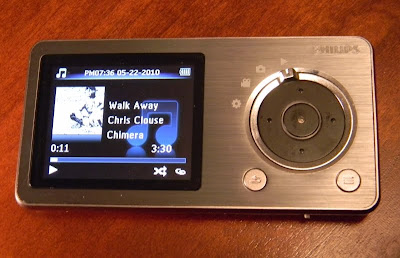 Music: The Cam will play MP3 and WMA files (but not lossless WMA). It supports sorting by Song title, artist, album, and genre. It will display a small image of the album art if the file has art included. You get the normal Shuffle and Repeat play modes. Sound settings include setting a volume limit, picking one of the six included Equalizer presets or the one custom EQ setting. Doing so will turn off FullSound. You can also delete files from the player. The player doesn't take good advantage of the small screen, but it does display the play mode, if FullSound is active, the song name, album, and title, and song length and you position in it. The control pad will advance tracks (left or right), and pause the song if you hit the center button. Holding down on the left or right will rewind or fast forward though the current song until you release it. Music formats are very limited, and lossless files won't play at all, but the music player is otherwise all there. I give music play a B.
 Photo: The small screen of the Cam isn't the best I've seen for photo viewing. The screen looses accurate color reproduction when viewed off-axis. The Cam is better at taking photos than displaying them. You get a slide show option with variable timing from 2 to 20 seconds between photos. You can display them in sequence or shuffled in order. You can also delete them from the player. Photos up to 1600 x 1200 will display, although there is no zoom function and all you see is a 220 x 176 representation of them. I give photo display on the Cam a D for below average.
 Camera: Photos taken are 1600 x 1200, or 1.9 megapixel at 24 bits (16 million colors). The lens isn't great and there is no flash, but it'll do when you need a quick photo and the lighting is good. Above is an example taken with the Cam. You can shoot with 4 visual effects including Black & White, Sepia, Special Color, and Negative. You can digitally zoom in .1 increments up to 2x. Warning: There is a loud shutter sound played through the headphones when you take a photo, with no apparent way to lower the volume. Photos are decent, and better than I've gotten with the few other photo-taking MP3 players I've tested. It's nothing a basic pocket camera has to worry about, but you can take photos with the Cam. Average for what I've seen in a media player.
 Video: The single sample video included was 640 x 360 at 25 frames in AVI, and played back flawlessly (but small) on the 2" display. I was also able play a 640 x 360 MP4 file (from my iPod Touch) and a 480 x 272 AVI file (from
  FM Radio: The FM radio on the Cam was easy to autotune and did a good job of ignoring weak signals or nearby frequencies of strong channels. There are 20 possible preset openings. The control pad makes it easy to change frequencies by presets (left and right) or .1 increments (up and down). Tap the center button to mute the radio. That's about it. No FM record (at least in this version of the firmware). Reception was good with the included earbuds acting as antenna. The radio will continue to play after returning to the main menu unless you choose another music or video playback option. It will play while you browse through photos. FM gets a B. It works. Not the best for features I've seen though.
 Cowon
Cowon is a more typical looking touchscreen device, yet it has a refined user interface, apparently faster processor, and a sturdier build than
  .
. . You can find my review of it
  and 3rd is an option with three screen views using both icons and widgets you can place wherever you want.
 Using the icon array the icons cutely turn when you change the J3's orientation.
 A few features the J3 has over the S9:
 - includes a built-in speaker (on the back).
 Music: The J3 will play MP3/2, WMA, FLAC, OGG, APE, M4A, and WAV formats. It has a 95db Signal/Noise ratio (very good). The music application is very complete. You get:
 Videos: The J3 will play AVI, WMV, ASF (and the occasional MP4) files at 480 x 272 pixels or slightly larger. Shown above is a shot from UP, an MP4 file playing on my J3. The video player is almost complete and has the most extensive list of settings I've seen. You can change nearly every aspect of how video plays on the J3. You can tweak subtitle syncing, expand the video to fill the screen or not, bookmark more than one position in any video, or even pause the video from your bluetooth headphones. Video can be output to a TV using an optional cable. Movies look fantastic on the 3.3" capacitive screen. I give video play an A. Just be sure and read the manual. You'll find it on the included CD.

 Photos: The J3 will display JPG files. There is no resolution limit, although larger images take longer to load. I transferred some photos directly from my 12mp camera (above) and they did display on the J3. I strongly recommend reducing photo sizes to something closer to the screen resolution though. My 12mp images were very slow to load, but sample photos that came with the J3 displayed quickly. You can easily rotate photos to best fill the screen. Zooming in on a detail is easy with a two-finger spread. I give the photo app an A.
 Text: Simple TXT can be displayed on the J3 (above). You have a few options to improve how they appear, including color of text/background and size of the text. No fancy flipping of pages though. Text gets a B.

 Posts
Posts

