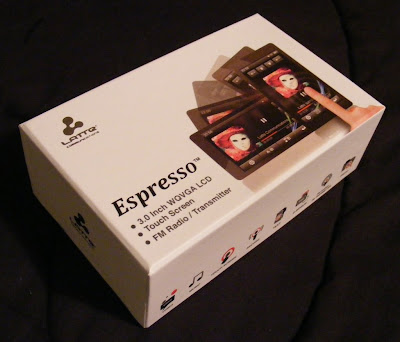
 Latte looks like they want to move up the ladder in the touchscreen player market. Target.com sells this beautiful 3" touchscreen Espresso model in 8gb and 16gb versions for $120 and $150 respectively. No cutting costs on hardware features, as this player features a G-sensor, Haptic Feedback, Voice and FM Recording, and FM broadcast to any nearby FM radio. Target listed a microSD card slot, but my Espresso DID NOT have one. Target also lists a calendar app which doesn't exist on the Espresso.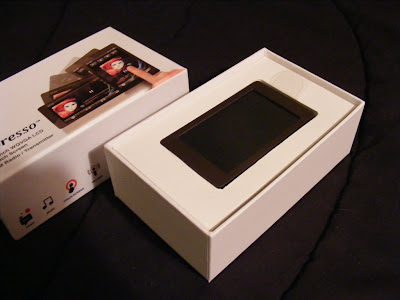
The packaging is a nice change from plastic blister packs. Slide the top off to find the player. Lift out the player to find the normal contents beneath. You'll find a standard USB to mini-USB cable, some nice sounding in-canal earbuds, a user manual, warranty card, and coupon for 50 free songs. 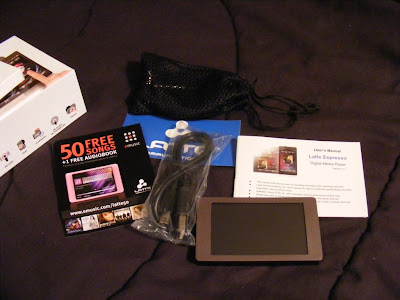 The earbuds appear to be well made and designed to compliment the Espresso's style. They come with uneven length cables to the buds which makes them easy to wrap behind your head. They also came with a nice net bag and spare set of tips. As a bonus they also sound Great. Good bass, plenty loud, external sound isolating, no audible noise, and expressive across the audio spectrum. They are on sale for $5.99 at Lattezone.com (regular $14.99) though, so don't be upset if they sound or look cheap to you.
 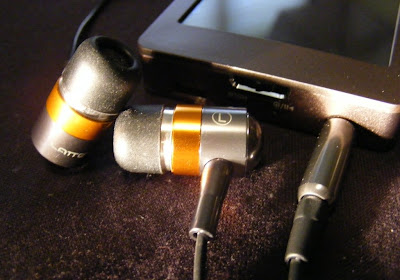 The only external control is the Power/Play/Pause/Hold slider. On the same end you'll find the USB and headphone jack. There is a small reset hole just around the corner. I love the way the Espresso looks, with a clean simple bronze body evenly framing the 3" touchscreen. The back and sides appear to be aluminum with a fine bevel between them . The front screen surround is plastic. The back is brushed, and the overall finish does a good job at not showing fingerprints.
 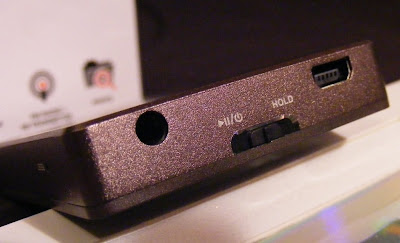 If you care about where your headphone jack is, then the Espresso has the perfect solution. The internal G-sensor knows where down is, and no matter how your rotate it the icons and apps all rotate to stay upright. The main menu is a simple array of icons. A tap takes you to either the files list for the app or right into the (radio) player. There is a nice haptic vibration to confirm your selection.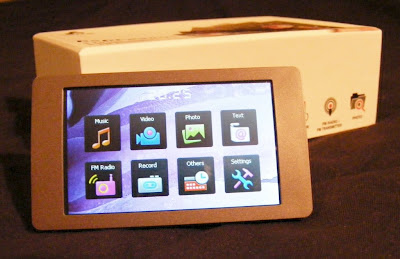
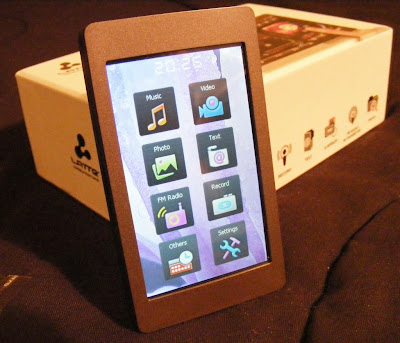 Music. This Latte will play back MP3, WMA, FLAC, APE, and AAC (no DRM) files. I've tried MP3, WAV, WMA, and FLAC with success, although it wouldn't play lossless WMA files. The music app is nearly complete. Missing is the ability to advance to any part of a song. There doesn't appear to be gapless playback. I couldn't find any playlist support in the manual or on the device, but there is an option to add songs to a single favorites list. The now-playing screen lets you tap between album art, a graphic equalizer, EQ/bitrate/repeat/shuffle info, or the ID3 info including title, album, and artist. There is a large PLAY/PAUSE button, with track and volume buttons smaller and along the right side (or top in portrait view). You also get an A-B button, lyrics toggle, settings icon, and BACK (previous screen) icon. Finding a single song in a long list is a tedious process. There is no reliable way to jump to a relative position in a list, and with no swipe or fast scroll of the list the touchscreen capabilities are underutilized. Yet this music app is better than most I've seen on budget Chinese media players. I've been enjoying a shuffle though my music collection as I write this. Music gets a B+.
The earbuds appear to be well made and designed to compliment the Espresso's style. They come with uneven length cables to the buds which makes them easy to wrap behind your head. They also came with a nice net bag and spare set of tips. As a bonus they also sound Great. Good bass, plenty loud, external sound isolating, no audible noise, and expressive across the audio spectrum. They are on sale for $5.99 at Lattezone.com (regular $14.99) though, so don't be upset if they sound or look cheap to you. The only external control is the Power/Play/Pause/Hold slider. On the same end you'll find the USB and headphone jack. There is a small reset hole just around the corner. I love the way the Espresso looks, with a clean simple bronze body evenly framing the 3" touchscreen. The back and sides appear to be aluminum with a fine bevel between them . The front screen surround is plastic. The back is brushed, and the overall finish does a good job at not showing fingerprints. If you care about where your headphone jack is, then the Espresso has the perfect solution. The internal G-sensor knows where down is, and no matter how your rotate it the icons and apps all rotate to stay upright. The main menu is a simple array of icons. A tap takes you to either the files list for the app or right into the (radio) player. There is a nice haptic vibration to confirm your selection. Music. This Latte will play back MP3, WMA, FLAC, APE, and AAC (no DRM) files. I've tried MP3, WAV, WMA, and FLAC with success, although it wouldn't play lossless WMA files. The music app is nearly complete. Missing is the ability to advance to any part of a song. There doesn't appear to be gapless playback. I couldn't find any playlist support in the manual or on the device, but there is an option to add songs to a single favorites list. The now-playing screen lets you tap between album art, a graphic equalizer, EQ/bitrate/repeat/shuffle info, or the ID3 info including title, album, and artist. There is a large PLAY/PAUSE button, with track and volume buttons smaller and along the right side (or top in portrait view). You also get an A-B button, lyrics toggle, settings icon, and BACK (previous screen) icon. Finding a single song in a long list is a tedious process. There is no reliable way to jump to a relative position in a list, and with no swipe or fast scroll of the list the touchscreen capabilities are underutilized. Yet this music app is better than most I've seen on budget Chinese media players. I've been enjoying a shuffle though my music collection as I write this. Music gets a B+. Video. Video format includes AVI, WMV, RM, RMVB, and FLV. Video is the only visual media to not rotate to portrait view. You can still flip the headphone end from right to left and the video will flip. I've tried WMV and AVI files on the Espresso, and although they play there is occasional frame drop. Audio will also get slighly out-of-sync. This may be no problem with videos formatted to fit the native resolution of the screen. My videos were all 480 x 272 or larger. The screen resolution is 420 x 240, but the user manual claims videos up to 800 x 480 (AVI) will play. This is no OLED screen, but videos look decent, and are certainly watchable. The resolution is slighty below what other 3" players feature, but on such a small screen the difference is not apparent. On a side note, the new (and expensive) Sony Walkman 3" t0uchscreen player has the same resolution yet worse video codec/format support. Video playback gets a B-.
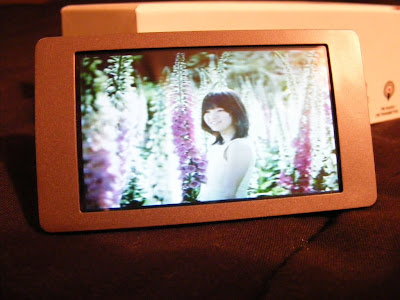
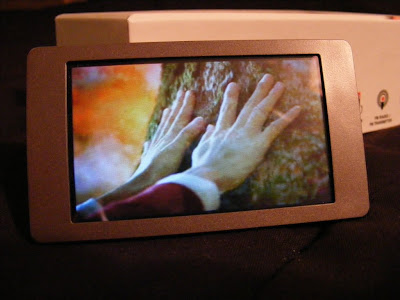 Photos. You can view JPEG, BMP, and GIF images. You can rotate the screen, but images don't auto-rotate to fit the screen, nor will they reliably rotate as the screen rotates. There is a one-step zoom option. You can pan around a zoomed image, but screen response is slow and a bit unpredictable. Images looks fine on the screen though, when you can avoid glare. This app is immature, and my experience suggests it won't be updated. Photo display gets a C+.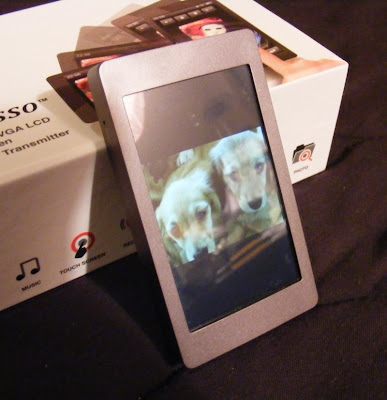
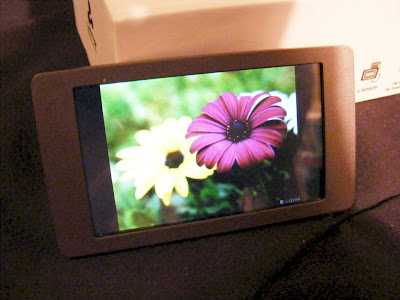 Text. TXT files can be read. You get three font sizes, as three font colors to choose from. The text will rotate as you turn the player for landscape or horizontal views. Legibility depends on the background and font color you choose, but text is crisp on the 420 x 240 screen. Moving through a large text file isn't as easy as it could be. It should be easy enough to throw a grocery list on the player, though you can't create one on the player itself. Text gets a C+.
 FM Radio. Works as expected. You can tune manually or let it autotune and select by preset stations. The presets page irritatingly doesn't let you pick a preset and jump to it, but it does let you delete or add stations easily. No RDS info. No HD radio tuning. Reception will vary depending on your headphones and orientation, as the headphone cable serves as the FM antenna. You can also record off of FM. You get two quality settings. To my ears the high quality WAV recording produced sounds just like the song did playing over the air. It take RDS to get an A from me, so FM Radio gets a B.
Voice Recording. There are two quality settings and five level settings. Recordings are in the .WAV format. I have no idea where the mic is on the Espresso but facing the screen the pickup seemed to be fine. There was noticeable 'static' in my recording. I could hear it through the headphone both while recording and playing back what I'd recorded. Not enough to make the recording useless, but something that will keep this feature of the Espresso from replacing your dictation machine. You can pause and resume while recording, and choose to save or not save a recording you've just made. You'll need to go into the music app or explorer to find an play back your recordings. Voice Recording gets a C-.
Stopwatch is your bonus app. Very basic. No lap times, and only a single timer. It displays time down to 100ths of a second. You can pause and resume a timing. There is also a reset icon. The display will rotate as the device rotates. That's it. Nothing special. C.
Explorer is what explorer does. Have a grand tour of the files you've put on your player.
Settings. Among other things the Settings option lets you turn on or off haptic response and the G-sensor. You can change or disable the backlight and power OFF timings. You'll also find your background choices here. Photo slide show timing is also here, although it would have been more useful in the Photo app.
·
Summary. I strongly suggest you use a soft tipped stylus with the Espresso. It's hard to be precise enough with a fat finger as the small icon/targets demand. Otherwise I find this Latte a good value for the money. FM broadcast from a media player is very convenient, and it works well on the Espresso. You can set the frequency you want to broadcast at, and any FM radio with 30 feet or so should be able to play your music. A cheaper alternative to wireless audio than Bluetooth although not as versatile. It's not as nice a player as the Samsung P2 or P3, but you get twice as much memory capacity for the same money. Target seems to have the best price on them right now, but don't trust their description. There is NO memory slot and no calendar on the Espresso. If you can get over that, I highly recommend Latte's Espresso.
4D


 Video: The Ematic claims to play AVI, RM, RMVB, FLV, and WMV video files. I threw a 480 x 272 AVI file and it played fine. It also played (some of) my MP4 files and WMV videos. Don't trust the specs on the box or in the user manual. The Ematic appears to be better than they claim. I would occasionally notice a little audio/video sync error, but a tap of the Pause then Play again would clear it up. The reflective glass over the screen was the biggest flaw for video playback, as it causes glare in all but the darkest room. I'm impressed with video playback on this Ematic. For the broad codec and resolution support, as well as large 3" screen, the Ematic get's an A- for Video. It was only the glare that detracts.
 Photo: The Ematic displayed any .JPG photo I threw on it. The crude UI makes zooming and rotating a photo very cumbersome, but you can at least do both. Zoom appears to be limited to 2x though. There doesn't appear to be a slide show option. No Swipe to change photos. You can have music playing while photos display, but with no automatic slide show it's pretty boring. Photos don't look as good on the LCD'd Ematic as they do an my AMOLED Cowon S9 or Iriver SPINN, but they'll impress anyone who hasn't seen an OLED display yet. Still a screen glare problem as with videos. It appears Photo display is the weakest effort on this player. Photo Display gets a C+. There is far more touchscreen potential.
  FM Radio: The Radio app is straight forward and easy to use. Like every other player the FM radio requires headphones to be plugged in for it's antenna. Reception will vary with your location and the headphones you use. In the radio settings menu you set your region. Then have it auto-search for stations. Once it has located your channels they can be individually deleted from or added to. ON the radio screen there is a small record icon next to the station number. Tap it to open the record screen. There is only one quality choice (Low), and the recordings will be in WAV format. Sadly this will be a 32kbps 8KHz Mono Lossy file. For FM Music this is not acceptable, and far below the standard set by other players that can record from FM. It might suffice for talk radio, but what you'll hear from the recording will sound different from what you heard on the radio. There is no RDS support, and with such poor recording quality the radio app gets a B-.
  E-Book: Text can be viewed but not edited on this Ematic. You get 3 font sizes. You get three font colors to choose from. Text can be manually paged through or will auto-page at a fixed rate. Lines are automatically wrapped to fit, and it appears tabs in the text are supported. The e-book app is better than most, so E-Book gets an A-. It would have been nice to view in portrait mode.




 Posts
Posts


